
Download PDFMate PDF Converter Professional – PDF converter, PDF to Word, PDF to image, PDF to text, OCR tool, document conversion
Overview
PDFMate PDF Converter Professional is a specialized utility designed for users who regularly manage and convert PDF files across professional and personal workflows. The application serves as a comprehensive solution for transforming PDFs into multiple editable and shareable formats, addressing common challenges related to document accessibility, editing, and integration into other tools. Its primary purpose is to streamline the conversion process through automation, accuracy, and user-friendly design. The app is particularly beneficial for professionals in fields such as law, education, publishing, and administrative services, where handling large volumes of PDFs is routine.
Target users include office workers, researchers, content creators, and anyone who needs to extract or repurpose content from PDFs. The software enables quick transformation of static PDFs into editable formats like DOC, TXT, EPUB, and HTML, as well as image files such as JPG and PNG. This functionality supports tasks ranging from report drafting to digital archiving and presentation preparation. Although the developer did not provide additional technical details about the software’s architecture or development background, its long-standing presence in the productivity space suggests a focus on reliability and performance.
Within the broader app ecosystem, PDFMate PDF Converter Professional fills a niche by combining conversion speed with advanced features like OCR. This makes it a valuable tool in environments where document accuracy and searchability are critical. The app’s consistent release cycle and dedicated functionality underscore its role as a dependable utility in the digital workspace.
Key Features & Functionality
- Drag-and-Drop Conversion Interface: Users can load PDF files directly into the application by dragging them onto the interface. This eliminates the need for complex navigation and allows for rapid processing, ideal for high-volume workflows.
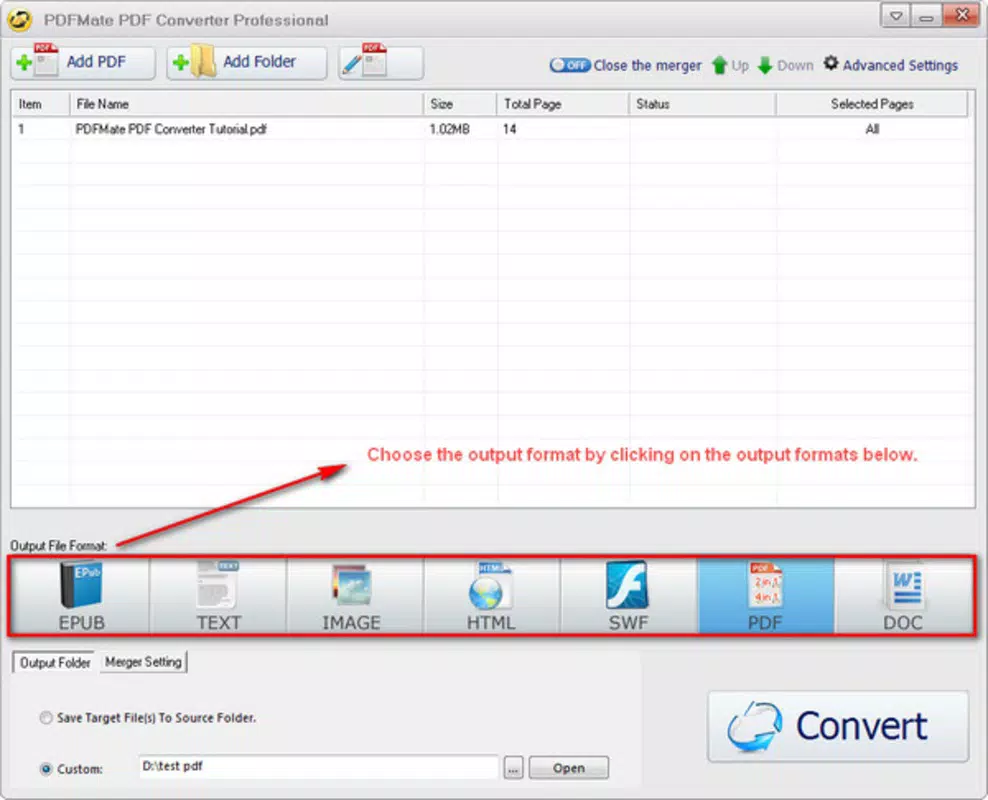
- Support for Multiple Output Formats: The tool enables conversion into DOC, TXT, EPUB, HTML, JPG, PNG, and other formats. This flexibility ensures compatibility with various downstream applications and platforms.
- Advanced OCR Integration: The built-in optical character recognition system scans scanned PDFs and converts them into searchable, editable text. This is especially useful for digitizing old or non-editable documents.
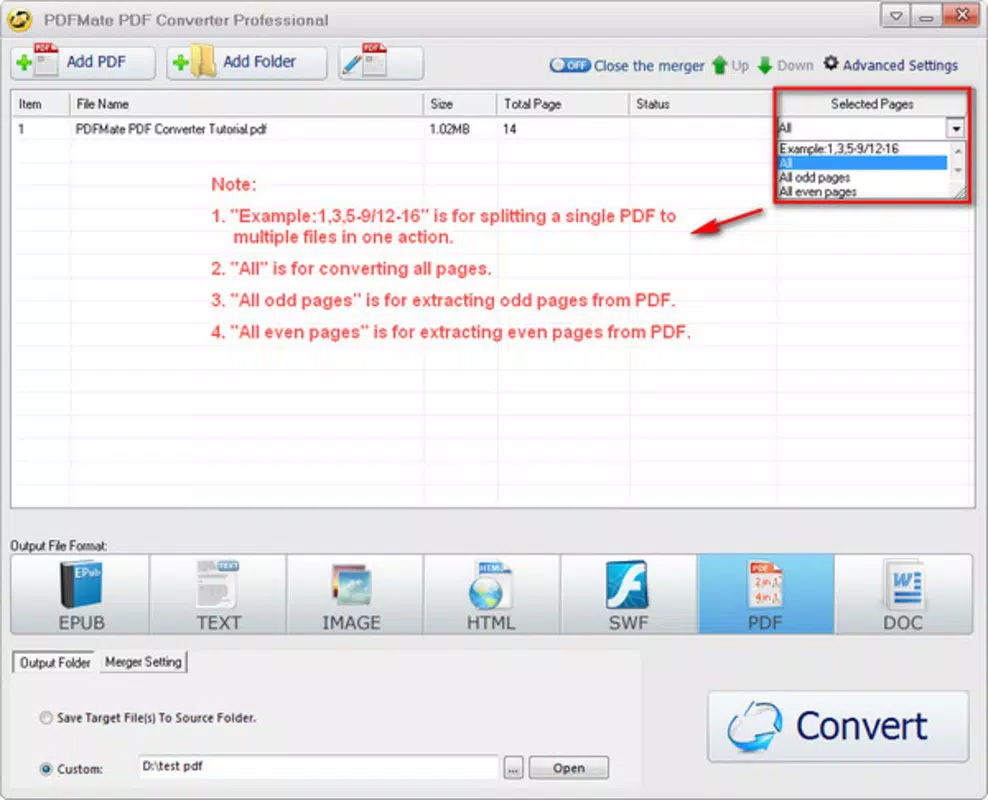
- Customizable Conversion Settings: Users can adjust output quality, image resolution, page range, and content extraction preferences. These settings allow for precise control over the final output, ensuring optimal results for specific use cases.
- Batch Processing Capability: The application supports converting multiple files at once, significantly reducing time spent on repetitive tasks and improving productivity.
For example, a university researcher can use the OCR feature to convert scanned journal articles into searchable text, then extract key data into a DOC file for analysis. Similarly, a marketing professional might convert a PDF brochure into high-resolution PNGs for social media use. The tool’s ability to handle both digital and scanned documents enhances its versatility across real-world scenarios.
Interface, UX & Performance
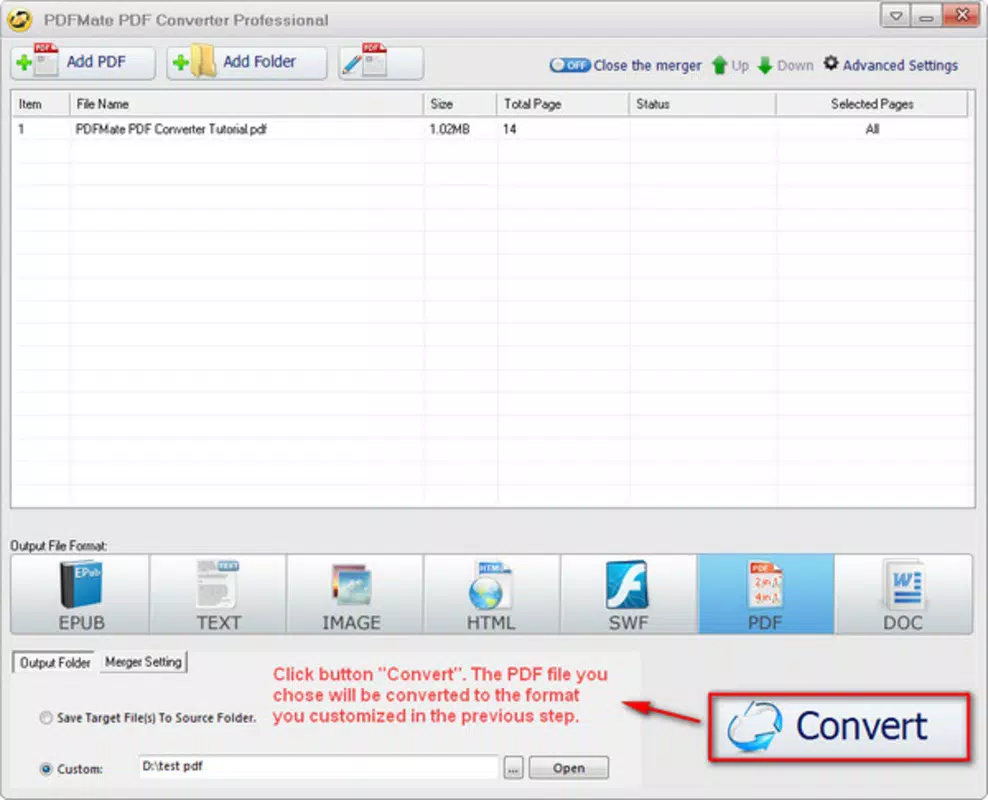
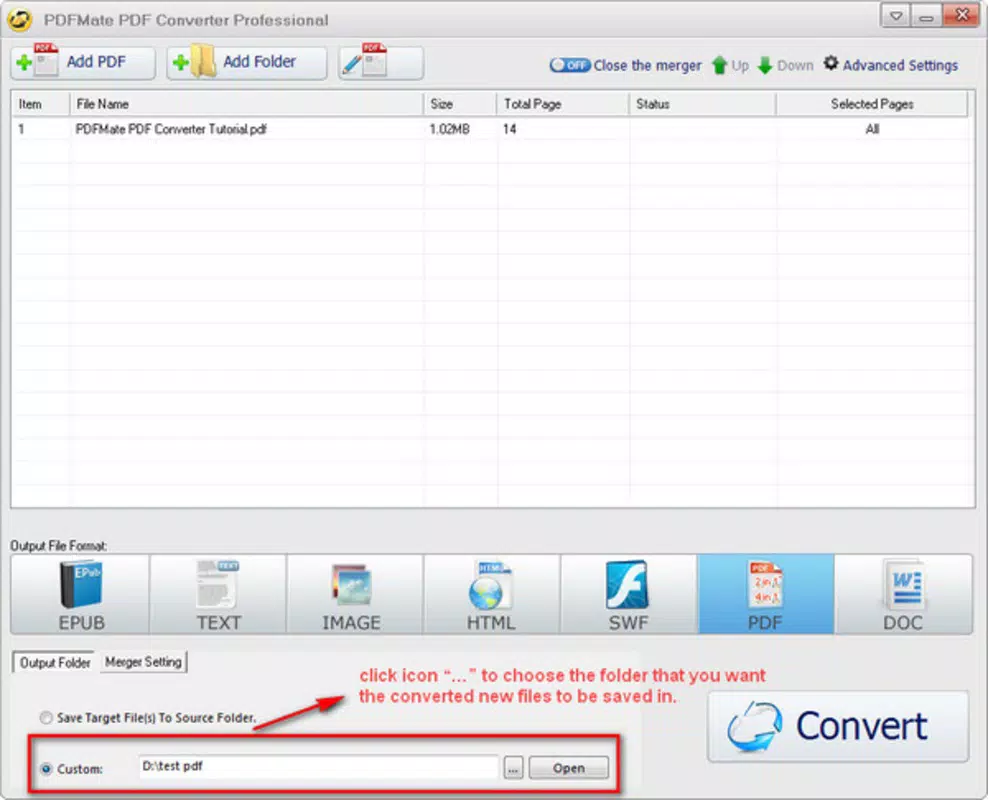
The interface of PDFMate PDF Converter Professional is designed with simplicity and efficiency in mind. The layout is clean, with clearly labeled buttons and a central file drop zone, minimizing visual clutter and enabling quick access to core functions. Navigation is intuitive, allowing users to load files, select output formats, adjust settings, and initiate conversion with minimal clicks.
Although the developer did not list formal performance metrics, the application is reported to handle standard conversion tasks with consistent responsiveness. The software maintains stability during batch processing, and file loading times remain within acceptable ranges for its size and functionality. The user experience is further enhanced by the absence of intrusive ads or pop-ups, which contributes to a focused workflow.
Performance may vary depending on system resources and the complexity of the source PDFs. However, the application does not appear to impose excessive memory or CPU demands, suggesting efficient code execution. Compatibility with modern Windows environments is assumed, though specific requirements were not disclosed. Overall, the UX prioritizes usability and speed, aligning with the expectations of both novice and experienced users.
Platform Compatibility & Technical Requirements
PDFMate PDF Converter Professional is available exclusively for the Windows platform. The current version is 1.0.0, with a file size of 45.8 MB. This compact footprint indicates a lightweight design, suitable for installation on systems with moderate storage capacity.
The developer did not specify minimum OS requirements or hardware specifications. As such, compatibility with specific Windows versions (e.g., Windows 10, 11) or processor types cannot be confirmed. Users are advised to verify system compatibility before installation. No additional dependencies or runtime environments were mentioned in the provided data.
Given the app’s size and platform focus, it is likely optimized for desktop environments rather than mobile devices. The absence of information about cloud sync, cross-device access, or mobile availability suggests this is a standalone desktop utility.
Pros and Cons
Pros
- Intuitive drag-and-drop interface for fast file handling
- Supports a wide range of output formats including DOC, TXT, EPUB, HTML, and image types
- Advanced OCR functionality for scanned document processing
- Customizable conversion settings for precise output control
- Batch processing reduces time for multiple file conversions
Cons
- Platform limited to Windows; no support for macOS or mobile devices
- Specific system requirements were not disclosed
- Price point may be high for casual users
- No cloud integration or synchronization features mentioned
- Update frequency and long-term support details not provided
FAQ
Is PDFMate PDF Converter Professional safe to download and install?
The software is developed by PDFMate and distributed through official channels. Users should ensure they download from trusted sources to avoid potential security risks.
Can I convert scanned PDFs to editable text using OCR?
Yes, the application includes a built-in character recognition system that enables conversion of scanned documents into searchable and editable text.
Does the app support batch conversion of multiple files?
Yes, users can process multiple PDFs simultaneously, improving efficiency when handling large volumes of documents.
Is there a free version available?
The provided information does not mention a free version. The current price is $29.95, suggesting it is a paid tool with no trial or freemium model disclosed.
Can I use this tool on Mac or mobile devices?
Based on the available data, the app is only compatible with Windows. No versions for macOS, iOS, or Android were listed.
Final Thoughts
PDFMate PDF Converter Professional stands out as a reliable, feature-rich tool for users who need accurate and efficient document conversion. Its combination of a user-friendly interface, advanced OCR, and customizable output settings makes it a strong contender in the productivity software space. While its Windows-only availability and lack of cross-platform support may limit its reach, it remains a powerful option for desktop users working with PDFs regularly.
Professionals in research, legal, and administrative roles will find the app particularly valuable due to its ability to extract and transform content from both digital and scanned documents. The tool’s focus on precision and workflow efficiency justifies its price point for serious users.
Download PDFMate PDF Converter Professional now to streamline your document management and unlock the full potential of your PDF files.


